CRM
Leads and the sales funnel
Leads are tracked in channels, stage by stage, in Kanban or list view; dragging a card changes its stage. The list shows each lead's owner, quotes and next activity.
For companies providing software, integration and IT services, QuickSoft keeps leads, revised quotes, projects and tasks, support tickets and invoicing in the same record. Project tracking is not separate from accounting: a project's profit is calculated from its accounting vouchers.
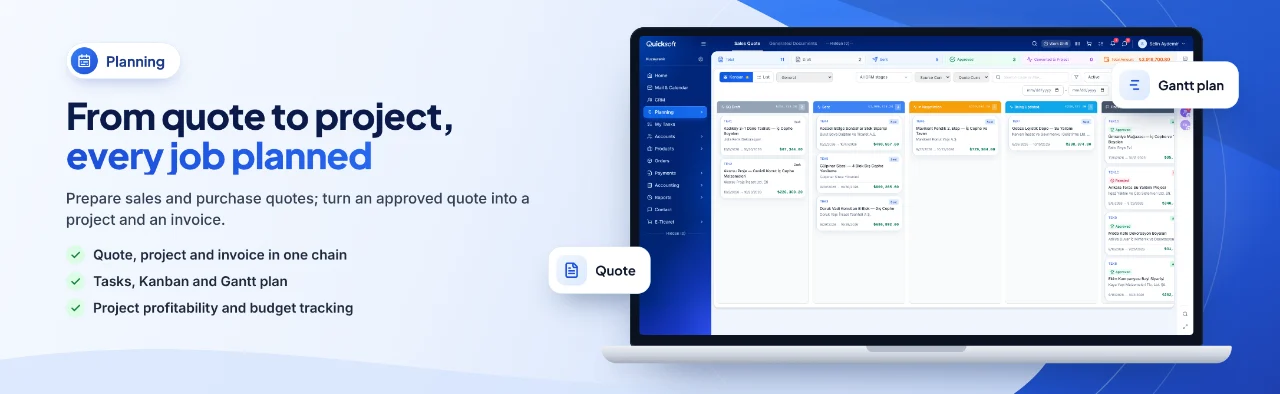
All revisions of a quote sit in a single chain; only one version is invoiced and turned into a project.
The quote approval page opens in Turkish, English, German, French, Dutch and Russian.
Lead, customer account, contact and quote records can be reached with REST or Bitrix24-style calls.
The stage of a support ticket is shown to the customer on a tracking page that needs no sign-in.
When quotes live in e-mail, tasks in a separate tool, support in WhatsApp and invoices with the accountant, you only find out which job made a profit once the project is over.
Problem: Quote versions get mixed up every time the customer asks for a change.
In QuickSoft: A revision opens a new version linked to the root quote (.1, .2); the chain is a single row in the list and only one version is invoiced.
Problem: Whether a project made a profit only becomes clear once the work is done.
In QuickSoft: The Project Card shows income, expenses and profit from the vouchers posted to the project; requests not yet invoiced are included in the estimated profit.
Problem: Support requests get lost between e-mails and messages.
In QuickSoft: No separate helpdesk software is needed: tickets are tracked by channel and stage on a Kanban board; the customer sees the ticket's status on the tracking page and is notified when the stage changes.
Problem: Maintenance and licence renewals slip through the cracks.
In QuickSoft: When a subscription-type product is sold through an order, a subscription record is created; those with 7 days left before they end are gathered on the 'Ending Soon' card.
The main jobs expected of a CRM and ERP for IT companies; every feature works in QuickSoft today, and the modules available to you depend on your package.
Leads are tracked in channels, stage by stage, in Kanban or list view; dragging a card changes its stage. The list shows each lead's owner, quotes and next activity.
The quote goes out with its PDF by e-mail or WhatsApp, and the customer decides from the approval link. If changes are requested, a new version linked to the root quote is opened; only one version in the chain is invoiced and turned into a project.
A project's income, expenses and profit are calculated excluding VAT (KDV) from the vouchers posted to the project; no separate counter is kept. Requests not yet invoiced feed into the estimated profit as pending amounts, and pending expenses are reflected in the remaining budget.
Internal work such as setup and development is broken down into tasks in a task plan. The board shows open, overdue and upcoming tasks and each person's workload; the Gantt chart draws the plan's tasks day by day.
When customer notifications are on, the requester is informed by WhatsApp or e-mail when a ticket is opened and when its stage changes. The link in the message opens a tracking page, with no sign-in needed, showing the ticket's stage and step timeline; internal notes are not visible.
Live chat, support ticket, WhatsApp, phone and contact form buttons are placed in the corner of your website. Visitor chats land in Communication, and a support ticket can be opened from a chat.
The Subscriptions screen shows each subscription's customer, product, end date and days left. Renewals are followed with the 'Ending Soon' and 'Expired' cards, and a subscription can be extended by one period.
Your own software, or tools such as Zapier, n8n and Make, reach lead, customer account, contact and quote records with an API key. The API is available in Professional and higher packages; the key is protected by a per-minute limit and an IP whitelist.
Screens of the modules used most in this industry.
Each step takes over the record of the one before it; the same information is never entered twice.
An enquiry from a web form, or from the contact form in the website widget, lands in the CRM as a lead.
Line items are grouped, and the PDF and approval link go to the customer; when something changes, a new version is opened.
The approved quote becomes a sales project and its line items become requests; with a portal invitation, the customer follows the requests.
Work is shared out to the team in the task plan; a video meeting link is sent to the customer from Communication > Meetings.
Requests are invoiced and an e-invoice (e-Fatura) or e-archive invoice (e-Arşiv) is sent; for card payment, a payment link goes to the customer.
Requests after delivery become support tickets; maintenance subscriptions are tracked by their end date.
Import your customer accounts and contacts with Excel; if you use Bitrix24, companies, contacts, leads and deals are moved over with CRM Data Transfer.
Define your CRM channels, your quote and project stages, and your quote and contract templates.
Add your mailbox, WhatsApp line, e-invoice integrator and virtual POS from Integrations.
Divide users into departments; use the 'View Project Finance' permission to decide who sees project income and profit.
Your trial starts as soon as your account is verified, and you can use the system straight away. The total time depends on the data you import and the channels you connect; if the Setup and Training service is added to your package, the QuickSoft team plans the setup with you.
Customer accounts, contacts and products are imported with the Excel template, or with your own file using AI column mapping. From a Bitrix24 portal, companies, contacts, leads, deals and activities are moved over with CRM Data Transfer; card attachments are not transferred.
Yes. You connect your İşNet or Turkcell e-Şirket integrator and send an e-invoice or e-archive invoice from the Sales Document; invoices issued from a project go out from the same window.
Users see only the screens their role and permissions open; project income and profit are opened with a separate permission. The API key is stored on the server only as a hash and can be restricted with an IP whitelist. The session asks for a new sign-in every 12 hours.
QuickSoft is cloud-based and runs in the browser; the mobile app works with the same account and the same rules.
Every screen has an (i) guide, and there is a help centre inside the system; you can write to the QuickSoft team from the support button in the corner. When the Setup and Training service is purchased, the training is planned by the QuickSoft team, or by your partner if you work with one.
Open a trial account or get in touch; let's go through your quote, project and support flow together on the real screens.