Industry solutionTechnical service, maintenance and repair

Field service management software: one system from fault report to invoice

For technical service, maintenance and repair companies looking for service ticket software, QuickSoft runs the fault report, team assignment, customer updates, the repair quote, parts stock and collection in one place. Your customer sees the status of their request on the tracking page without having to call you.

  • Fault reports from WhatsApp, your website and the phone
  • WhatsApp and email to the customer when the stage changes
  • Repair quotes, parts stock and e-invoicing (e-Fatura)
  • End-date tracking for maintenance contracts
  • Tracking page

    From the link in the message, the customer sees the ticket number, stage and steps without logging in; internal notes are not shown there.

  • 30 seconds

    If a ticket is moved through several stages in quick succession, the customer is not sent every intermediate stage; after 30 seconds they are notified of the ticket's current stage.

  • One open ticket

    A second ticket cannot be opened from a conversation that already has an open one; the button opens the existing ticket's card instead.

  • Resolved / Unresolved

    A ticket is closed from the outcome window; for an unresolved ticket a reason is selected, and it is counted separately on the dashboard.

Familiar problems in technical service

When fault information is scattered, neither the team nor the customer knows where the job stands.

  • Problem: Fault reports get lost in phone notes, WhatsApp chats and paper forms.

    In QuickSoft: Every fault becomes a numbered support ticket; it is opened with one click from a WhatsApp conversation, from the button on your website or by hand.

  • Problem: Customers keep calling to find out the status of their device.

    In QuickSoft: When the ticket's stage changes, the customer gets a WhatsApp message or email; the link opens a tracking page that shows the ticket's current status.

  • Problem: You cannot see how many jobs each technician has or which ones are running late.

    In QuickSoft: The helpdesk dashboard shows open, unassigned and urgent tickets, the average resolution time and the breakdown by assignee.

  • Problem: Parts and labor used do not fully make it onto the invoice.

    In QuickSoft: The approved repair quote is converted into an invoice; stocked parts are deducted from stock with the sale, and the invoice goes out as an e-archive invoice (e-Arşiv) or e-invoice.

What the repair and maintenance software includes

Fault reports are kept in the Helpdesk module; the quote, stock, accounting and communication modules connect to the same flow. Your field service CRM and your accounting no longer sit in separate programs.

Support

Fault reports on a kanban board

Tickets move through the channel's stages as kanban cards; you drag a card to move it, and urgent and high-priority tickets are marked with a badge. When the work is done, the ticket is closed out as Resolved, or as Unresolved with a selected reason.

Support

Tickets from WhatsApp conversations

When a customer writes on WhatsApp, a ticket is opened with one click from the conversation header; the requester's name, phone number and linked customer account come from the conversation. When the ticket's assignee changes, the conversation is forwarded to the new assignee as well.

Communication

A fault report button on your website

Through the widget added to your site, a visitor opens a support ticket by entering their name, phone number and message, and sees the ticket number. Outside working hours, a ticket button can be shown instead of live chat.

Support

Automatic customer updates

When a ticket is opened and whenever its stage changes, the requester gets a WhatsApp message or email; you choose the customer-facing name and message template for each stage. For WhatsApp messages, the customer must have written to you from that number.

Support

Corresponding with the customer

You add comments visible to the customer, or internal notes, to the ticket. While you wait for information from the customer, you move the ticket to a stage that is open to replies; the customer writes their reply on the tracking page and the ticket returns to its previous stage.

Planning

Repair quote and approval

A quote prepared with parts and labor lines goes out as a PDF by email or WhatsApp; the customer accepts or rejects it from the approval link.

My Tasks

Field tasks

When a task is assigned to a technician, an in-app and phone notification is sent; tasks with a deadline are added to the selected people's calendars with a reminder. All tasks can be followed in one table or on a kanban board with status columns.

Accounts

Maintenance contract tracking

Maintenance contracts sold as subscriptions are listed with customer, period, end date and days remaining. Those ending within 7 days are gathered on the 'Ending Soon' card, and the term is extended with 'Extend'.
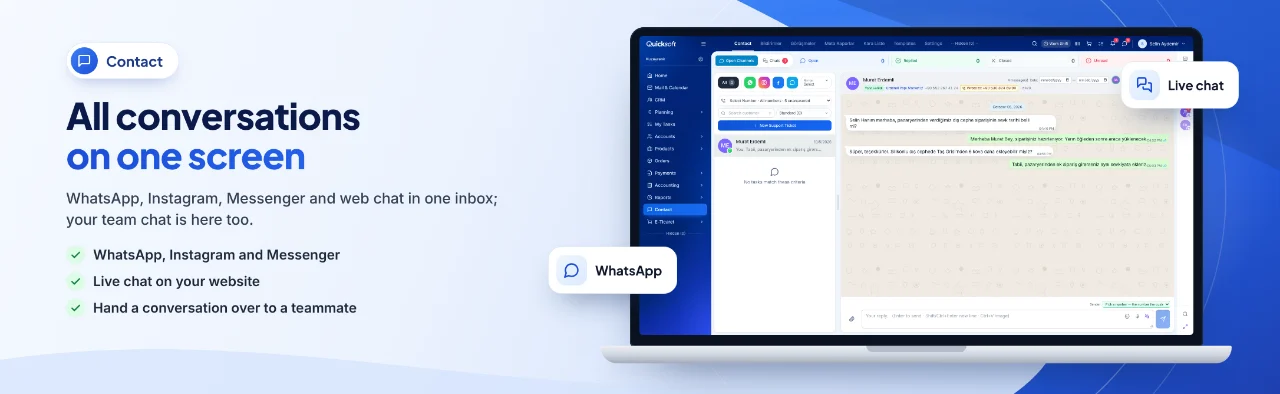
Module screens

Screens of the modules used most in this industry.

All conversations on one screen — WhatsApp, Instagram, Messenger and web chat in one inbox; your team chat is here too.

How a fault report moves through QuickSoft

From the report to the collection, every step stays on the same ticket and the same customer record.

  1. 1

    Fault report

    The customer writes on WhatsApp, uses the button on your site or calls; the request becomes a numbered record, and the fault type is selected from a category.

  2. 2

    Assignment

    The ticket is assigned to an owner according to the channel's rule or goes into the pool; the site visit is scheduled from the Activity tab of the ticket card.

  3. 3

    Updates

    Each time the stage changes, the customer gets a message; when information is needed, the customer writes their reply on the tracking page.

  4. 4

    Repair quote

    The parts and labor quote is sent, and the customer's decision comes in through the approval link.

  5. 5

    Invoice

    The approved quote is converted into an invoice; stocked parts are deducted from stock, and the e-archive invoice or e-invoice goes out through the integrator.

  6. 6

    Collection and closing

    The amount is collected by card through a payment link, the collection voucher is created automatically, and the ticket is closed as Resolved.

How to get started

  1. 1

    Live demo

    We go through your service workflow together on real screens.

  2. 2

    Set up stages and categories

    Name your helpdesk channel's stages to fit your business, and add your fault types to the Helpdesk Categories list.

  3. 3

    Connect your communication channels

    Connect your WhatsApp line, turn on customer notifications and add the website widget code to your site.

  4. 4

    Import your customer and parts lists

    Import your customer accounts and parts with Excel; parts are created without stock, and stock is entered with a purchase document.

Frequently asked questions

Where do we keep the customer's device details?

Details such as make, model and serial number are added to the customer account form as custom fields for your company; the QuickSoft team creates the fields, and if 'Menu, Field Management' is enabled your administrator can add them too. The ticket is linked to the customer's account record.

How do we switch from our current software?

You import your customer account and product lists with the template or with your own Excel file; with your own file, AI maps the columns and you check them in the preview. A customer account whose tax number, email or mobile number matches, and a product with the same stock code, are not created a second time.

Can we issue e-invoices and e-archive invoices?

Yes. Once you connect your İşNet or Turkcell e-Şirket integrator, the 'Sales Invoice' button in the Sales Document sends an e-invoice or e-archive invoice; incoming e-invoices are pulled over the same connection.

Can technicians use it on their phones in the field?

QuickSoft has a mobile app; login and session rules are the same as on the web. When a task or activity is assigned to a technician, a notification is sent to their phone.

How is our data protected?

Every user works according to their role and permissions; opening and moving tickets and deleting a ticket depend on separate permissions. Sessions close 12 hours after login, and a deleted ticket stays in Deleted Items for 30 days and can be restored.

How long does setup take, and can we get training?

It depends on the records you import and the integrations you connect. Setup and training are delivered through the one-time Setup and Training service added to your package, and customization specific to your business is available as an hourly service. The (i) guide on every screen and the help center explain the steps.

See QuickSoft with your own service workflow

In a live demo we take a fault report from the ticket through the repair quote, invoice and collection together on real screens, so you see every step you expect from repair tracking software in practice.