Sales channels by line of business
You set up separate channels and stages for motor, traffic liability, health or home insurance. If you choose an owner for a channel, every lead that arrives without a specified owner is assigned to that person.
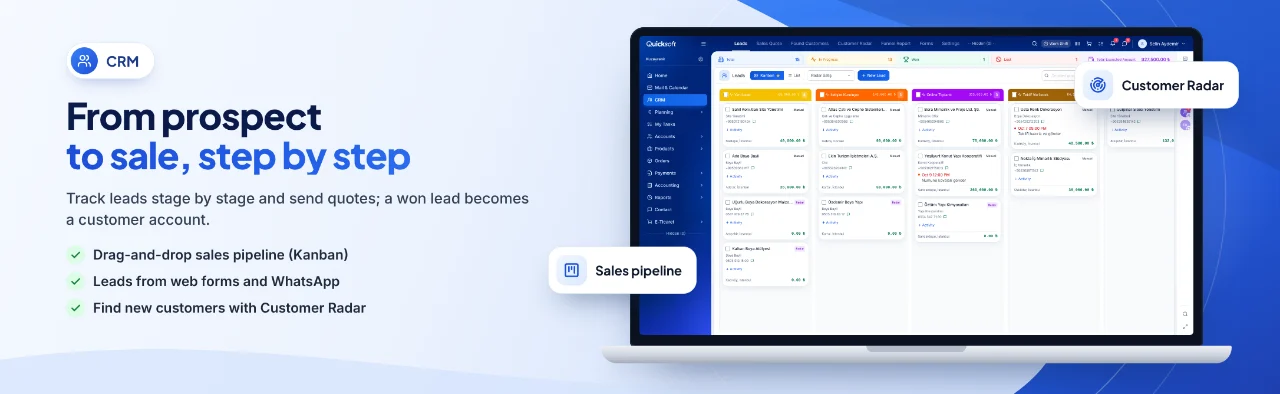
For agencies looking for insurance agency software, QuickSoft brings together leads from web forms, ads and WhatsApp, quotes, renewal dates and all correspondence with the client in one place. Policies are issued on the insurance company's screen; QuickSoft runs sales and follow-up.
Automations open a message, task or activity 1 to 90 days before a date field on the lead (for example, policy expiry).
No second lead is created with the same phone number or email; a repeat submission is added as a note on the existing card.
Automated emails and WhatsApp messages reach clients only between these hours.
Bulk WhatsApp and bulk email go to at most 5,000 recipients at a time, sent one by one from a queue.
When renewal dates and client conversations stay in individual people's notebooks, clients quietly move to another agency.
Problem: Renewal dates sit in Excel; by the time someone notices, the client has already moved to another agency.
In QuickSoft: The lead's policy expiry date is kept in a date field on the card, and automations open a task and send a reminder before that date. For existing clients, the renewal is scheduled as an activity with a reminder on the customer account card.
Problem: Submissions from ads and the website get a late response.
In QuickSoft: Submissions go straight into the CRM as leads and are assigned to the channel owner; for leads who do not reply, a follow-up sequence writes again on the days you set.
Problem: The same client gets called twice by different staff.
In QuickSoft: No second lead is created with the same phone number or email; an existing lead, customer account or contact appears as a warning on the form.
Problem: Campaign messages also reach clients who do not want them.
In QuickSoft: A number that writes that it does not want messages, or taps the button in the template, is added to the blacklist; bulk messages are not sent to blacklisted numbers.
QuickSoft has no separate policy module. Policy details are kept in fields created for your company; sales and follow-up run on the CRM, Communication and Calendar modules.
You set up separate channels and stages for motor, traffic liability, health or home insurance. If you choose an owner for a channel, every lead that arrives without a specified owner is assigned to that person.
A submission from the form on your site or from a Google Ads lead form becomes a lead in the channel and stage you choose. If the same person applies again, no new card is created; a note is added to the existing card.
You add WhatsApp template, email, task or activity automations to a stage; the starting point can be a date field on the lead, for example 30 days before policy expiry. If the date changes, the time of the pending automation shifts with it.
Calls, meetings or to-dos are planned on lead, customer account and contact cards; each gets a deadline, an owner and a reminder, and appears in the calendar. The Activity column in lists shows each record's next activity, with overdue items in red.
Leads you have sent a quote to receive WhatsApp or email follow-ups on the days you set. The sequence stops when the lead replies or moves to another stage; messages are not sent at night.
Conversations from your WhatsApp numbers are gathered on the Communication screen; if the Meta connection is on, Instagram and Messenger are in the same list. Conversations can be filtered by number and status, and unread messages are counted.
Bulk WhatsApp messages are not sent to blacklisted numbers; when a client writes that they do not want messages or taps the button in the template, the number is added to the list automatically. A blacklisted lead does not appear in the CRM list, and the record is not deleted.
Shows at which stage the channel's leads are piling up, how many were won and lost, the conversion rate and the amount won.
Screens of the modules used most in this industry.

The lead card, the quote, the correspondence and the reminders all build up on the same record.
A person who comes in through a web form, Google Ads or WhatsApp becomes a lead in the channel for that line of business and is assigned to an owner.
The owner calls the lead, records the call on the Activity tab and schedules the next call as an activity with a reminder.
A suitable insurance quote is prepared as a sales quote without opening a customer account for the lead and is sent as a PDF; if no reply comes, the follow-up sequence writes again.
The policy is issued on the insurance company's screen; the lead is converted into a customer account from the Close out window, and its date fields carry over to the account.
Before expiry, the activity with a reminder on the customer account card alerts the owner; the client is contacted by WhatsApp or email.
The funnel report shows how many leads are piling up at each stage and how many were won.
We go through your agency's sales and renewal flow together on real screens.
Set up your line-of-business channels and stages; have fields such as policy expiry date and licence plate created specifically for your company.
Connect your WhatsApp line and mailbox, put the web form on your site and add your Google Ads form via webhook.
Upload your existing clients as customer accounts and your leads into the CRM with an Excel file.
No. QuickSoft has no policy issuance, insurance company integration or premium calculation; policies are issued on the insurance company's screen. QuickSoft handles the lead, the quote, renewal tracking and client communication.
You import your clients as customer accounts and your leads into the CRM with an Excel file; with your own file, AI maps the columns and you check them in the preview. A record with the same phone number or email is not created a second time. If you use Bitrix24, companies, contacts, leads and activities are moved with CRM Data Transfer.
Yes. Once you connect your İşNet or Turkcell e-Şirket integrator, the 'Sales Invoice' button in the Sales Document sends an e-invoice or e-archive invoice; incoming e-invoices are pulled over the same connection.
QuickSoft has a mobile app; login and session rules are the same as on the web. When an activity is assigned to someone, an in-app and phone notification is sent; when the reminder time comes, the owners are notified.
If Access Permissions is turned on, each staff member sees only the channels they have read permission for and the leads within their own scope; adding, deleting and exporting are separate permissions. Sessions close 12 hours after login.
It depends on the records you import and the channels you connect. Setup and training are delivered through the one-time Setup and Training service added to your package, and customization specific to your business is available as an hourly service. The (i) guide on every screen and the help center explain the steps.
In a live demo we take an enquiry from the lead card to the quote and on to the renewal reminder after the policy is issued, together on real screens, so you see every step you expect from insurance client management software in practice.